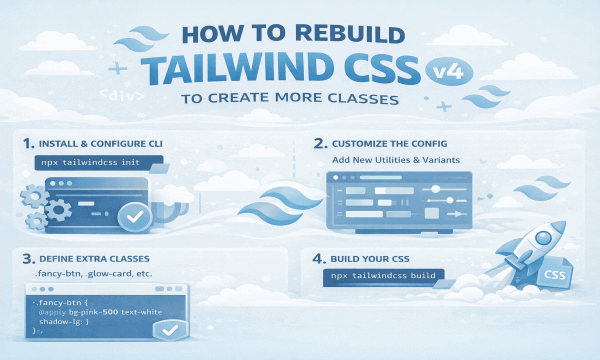
Tailwind CSS v4 just dropped, and it's a total game-changer. If you've been working with Tailwind v3, get ready to level up – v4 introduces a CSS-first configuration workflow that's faster, cleaner, and way more powerful.
The big shift? You now configure Tailwind primarily through CSS itself using the new @theme directive, instead of jamming everything into a JavaScript config file. This means you can create custom classes, define design tokens, and extend Tailwind's functionality right where you write your styles.
In this guide, I'll show you exactly how to rebuild your Tailwind setup to generate more classes, customize your design system, and take full advantage of v4's new features. Let's dive in.
What Changed in Tailwind CSS v4
Before we start building, here's what you need to know about v4's major updates:
CSS-First Configuration
Configure Tailwind in CSS using @theme instead of tailwind.config.js. The old way still works via @config, but CSS-first is recommended.
New CLI Package
The CLI moved to @tailwindcss/cli. Update your build commands to use the new package.
Oxide Engine & Performance
v4 includes the Oxide engine for massive speed improvements, plus built-in @import handling, vendor prefixing, and CSS nesting support.
OKLCH Colors & CSS Variables
Theme tokens are CSS variables now, with support for modern OKLCH color space. Define colors once, use them everywhere.
Important: The old safelist option in tailwind.config.js is not available the same way in v4. Use @source inline() instead (more on this later).
The New CSS-First Workflow
Here's what the CSS-first approach means for creating more classes:
-
1.
Define design tokens with
@theme: Set up colors, spacing, fonts as CSS variables so Tailwind generates utilities from them automatically. -
2.
Create component classes with
@layer components: Build semantic classes like.btn,.card,.badgeright in your CSS. -
3.
Safelist dynamic classes with
@source inline(): Preserve dynamically generated classes without the old config file approach. -
4.
Optional: Keep JS config with
@config: If you prefer the old way, explicitly load yourtailwind.config.jsin CSS.
Example 1: Complete CSS-First Setup
Here's a complete src/styles.css file that demonstrates the new v4 workflow. This is your main entry point that replaces the old config file approach:
/* src/styles.css (Tailwind v4 CSS-first) */

/* Import the framework (replaces @tailwind directives) */
@import "tailwindcss";

/* 1) Define theme tokens with @theme */
@theme {
  /* OKLCH color values (v4 supports modern color spaces) */
  --color-primary-50: oklch(95% 0.02 260);
  --color-primary-100: oklch(85% 0.04 260);
  --color-primary-500: oklch(55% 0.12 260);
  --color-primary-900: oklch(25% 0.08 260);
  --color-accent: oklch(65% 0.18 340);

  /* Custom spacing values */
  --space-18: 4.5rem;
  --space-22: 5.5rem;

  /* Custom font sizes */
  --text-xxs: 0.625rem;
}

/* Alternative: Runtime CSS variables in :root */
:root {
  --brand-gradient: linear-gradient(135deg, #667eea 0%, #764ba2 100%);
}

/* 2) Create component classes in the components layer */
@layer components {
  /* Button base styles */
  .btn {
    @apply inline-flex items-center justify-center rounded-md font-medium transition-all duration-200;
    @apply focus:outline-none focus:ring-2 focus:ring-offset-2;
    padding: 0.5rem 1rem;
  }

  /* Button variants */
  .btn-primary {
    @apply text-white;
    background-color: var(--color-primary-500);
    box-shadow: 0 4px 10px rgba(85, 70, 200, 0.3);
  }

  .btn-primary:hover {
    background-color: var(--color-primary-900);
    transform: translateY(-2px);
    box-shadow: 0 6px 14px rgba(85, 70, 200, 0.4);
  }

  .btn-ghost {
    @apply bg-transparent border border-transparent;
    color: var(--color-primary-500);
  }

  .btn-ghost:hover {
    background-color: color-mix(in srgb, var(--color-primary-500) 10%, transparent);
  }

  /* Button sizes */
  .btn-sm { @apply text-xs py-1 px-2 rounded-sm; }
  .btn-md { @apply text-sm py-2 px-3; }
  .btn-lg { @apply text-base py-3 px-5; }
  .btn-xl { @apply text-lg py-4 px-6; }

  /* Card component */
  .card {
    @apply bg-white rounded-2xl p-6;
    box-shadow: 0 8px 24px rgba(2, 6, 23, 0.06);
    transition: transform 0.3s ease, box-shadow 0.3s ease;
  }

  .card:hover {
    transform: translateY(-4px);
    box-shadow: 0 12px 32px rgba(2, 6, 23, 0.12);
  }

  /* Badge component */
  .badge {
    @apply inline-flex items-center px-2.5 py-0.5 rounded-full text-xs font-semibold;
    background-color: color-mix(in srgb, var(--color-accent) 10%, transparent);
    color: var(--color-accent);
  }

  /* Badge variants */
  .badge-success {
    background-color: color-mix(in srgb, #10b981 10%, transparent);
    color: #10b981;
  }

  .badge-warning {
    background-color: color-mix(in srgb, #f59e0b 10%, transparent);
    color: #f59e0b;
  }

  .badge-error {
    background-color: color-mix(in srgb, #ef4444 10%, transparent);
    color: #ef4444;
  }
}

/* 3) Custom utilities in the utilities layer */
@layer utilities {
  /* Elevation utilities */
  .elev-1 { box-shadow: 0 2px 6px rgba(2, 6, 23, 0.06); }
  .elev-2 { box-shadow: 0 6px 18px rgba(2, 6, 23, 0.08); }
  .elev-3 { box-shadow: 0 12px 32px rgba(2, 6, 23, 0.12); }

  /* Gradient text utilities */
  .gradient-text {
    background: var(--brand-gradient);
    -webkit-background-clip: text;
    background-clip: text;
    -webkit-text-fill-color: transparent;
  }

  /* Glassmorphism utilities */
  .glass {
    background: rgba(255, 255, 255, 0.1);
    backdrop-filter: blur(10px);
    -webkit-backdrop-filter: blur(10px);
    border: 1px solid rgba(255, 255, 255, 0.2);
  }
}
Pro tip: This single CSS file replaces both your old tailwind.config.js and custom component CSS. Everything's in one place now!
Example 2: Using Your Custom Classes
Now that you've defined your classes, here's how to use them in your HTML. These are copy-paste ready examples:
<!-- Button examples -->
<button class="btn btn-primary btn-md">Save Changes</button>
<button class="btn btn-ghost btn-sm">Cancel</button>
<button class="btn btn-primary btn-lg">Get Started</button>

<!-- Card with gradient text -->
<div class="card max-w-xl elev-2">
  <div class="flex items-start gap-4">
    <div class="w-12 h-12 rounded-lg bg-primary-50 flex items-center justify-center">
      📦
    </div>
    <div>
      <h3 class="text-lg font-semibold gradient-text">Amazing Product</h3>
      <p class="text-sm text-gray-600 mt-1">
        This product will change everything. Built with Tailwind v4.
      </p>
    </div>
  </div>
  <div class="mt-4 flex gap-3">
    <button class="btn btn-primary btn-sm">Buy Now</button>
    <button class="btn btn-ghost btn-sm">Learn More</button>
  </div>
</div>

<!-- Badges -->
<span class="badge">New</span>
<span class="badge badge-success">In Stock</span>
<span class="badge badge-warning">Limited</span>
<span class="badge badge-error">Sold Out</span>

<!-- Glass card with elevation -->
<div class="glass p-8 rounded-2xl elev-3">
  <h2 class="text-2xl font-bold text-white mb-4">Glassmorphism Card</h2>
  <p class="text-white/80">
    This uses the custom glass utility we created in our CSS.
  </p>
</div>
Example 3: Safelisting Dynamic Classes
In v3, you used the safelist option in your config file. In v4, use @source inline() to preserve classes that don't appear in your templates:
/* src/styles.css (add near the top) */
@import "tailwindcss";

/* Safelist dynamic grid classes */
@source inline("
  md:grid-cols-1
  md:grid-cols-2
  md:grid-cols-3
  md:grid-cols-4
  md:grid-cols-5
  md:grid-cols-6
");

/* Safelist dynamic color classes */
@source inline("
  bg-red-500 bg-blue-500 bg-green-500
  text-red-500 text-blue-500 text-green-500
  border-red-500 border-blue-500 border-green-500
");

/* Your theme and components... */
@theme {
  /* ... */
}
This is useful when you're generating classes dynamically in JavaScript:
// This works now because we safelisted grid-cols-* classes
const columns = 3;
const gridClass = `md:grid-cols-${columns}`;
element.classList.add(gridClass);
Alternative: If you prefer the old JS config approach, you can still use it by adding @config "./tailwind.config.js" at the top of your CSS file. But the CSS-first way is faster and more flexible.
Example 4: Building with the New CLI
The Tailwind CLI moved to a new package in v4. Update your build commands:
Development (watch mode)
npx @tailwindcss/cli -i ./src/styles.css -o ./dist/output.css --watchProduction (minified)
NODE_ENV=production npx @tailwindcss/cli -i ./src/styles.css -o ./dist/output.css --minifyPackage.json scripts
{
  "scripts": {
    "dev": "npx @tailwindcss/cli -i ./src/styles.css -o ./dist/output.css --watch",
    "build": "NODE_ENV=production npx @tailwindcss/cli -i ./src/styles.css -o ./dist/output.css --minify"
  }
}
Advanced: Adding Custom Plugins
In v4, you import plugin CSS files directly instead of registering them in a config file:
/* src/styles.css */
@import "tailwindcss";
@import "./plugins/animations.css" layer(utilities);
@import "./plugins/shapes.css" layer(components);

@theme {
  /* ... */
}
Create your plugin file:
/* src/plugins/animations.css */
@layer utilities {
  .animate-slide-up {
    animation: slideUp 0.3s ease-out;
  }

  @keyframes slideUp {
    from {
      opacity: 0;
      transform: translateY(10px);
    }
    to {
      opacity: 1;
      transform: translateY(0);
    }
  }

  .animate-pulse-slow {
    animation: pulse 3s cubic-bezier(0.4, 0, 0.6, 1) infinite;
  }
}
Pro Tips for v4
✅ Best Practices
- • Use
@themefor design tokens - • Keep components in CSS with
@layer components - • Use OKLCH colors for better color accuracy
- • Leverage CSS variables for runtime theming
- • Use
@source inline()for dynamic classes - • Import plugins as CSS files
❌ Common Mistakes
- • Using old
@tailwinddirectives - • Forgetting to update CLI package
- • Not testing on modern browsers
- • Mixing v3 and v4 config patterns
- • Overusing
@apply(use components) - • Not leveraging CSS cascade
⚠️ Browser Support Note
Tailwind v4 targets modern browsers (Safari 16.4+, Chrome 111+, Firefox 128+). If you need to support older browsers, either:
- • Stay on Tailwind v3 for now
- • Add polyfills for CSS features like
color-mix() - • Use PostCSS plugins for compatibility
Quick Migration Checklist
Moving from v3 to v4? Here's your checklist:
-
Update to
@tailwindcss/clipackage -
Replace
@tailwinddirectives with@import "tailwindcss" -
Move config values to
@themein CSS -
Convert
safelistto@source inline() -
Move component classes to
@layer components - Import plugins as CSS files
- Update build scripts with new CLI
- Test on modern browsers
Wrapping Up
Tailwind CSS v4's CSS-first workflow is a massive improvement over v3. You get better performance, cleaner configuration, and way more control over your custom classes – all without leaving your CSS file.
The examples in this guide are production-ready, so grab what you need and start building. The @theme directive, @layer components, and @source inline() give you everything you need to create a fully custom design system.
Remember: v4 is about embracing CSS as your configuration language. Once you get used to it, you won't want to go back to JS config files. Trust the process.
Need Ready-Made Components?
Check out our collection of 100+ free Tailwind components – all updated for v4. Buttons, cards, forms, modals, and more. Everything's copy-paste ready.
Browse All Components